
The proof badge
Put it on your website and in your channel art. It sends your audience to the one page that lists your real accounts, and it shows the date we last checked them.
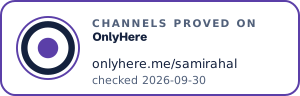
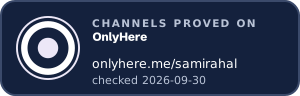
Example. Sami Rahal is a fictional creator.
What it says, and what it doesn't
The badge says your channels were proved on OnlyHere and when they were last checked. That's all our records can back, so that's all it claims. It doesn't say you're verified, certified or trustworthy, and nobody should read it that way.
It's live. We serve it from your page, so the date moves every time we recheck your channels. If your page stops being maintained, the badge turns red and says so. A badge copied onto a fake account keeps pointing back to your page, where the fake account isn't listed.
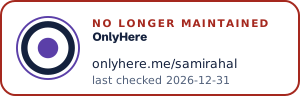
What the badge shows when a page is no longer maintained.
Add it to your website
Paste this where you want the badge to appear, with your own handle in place of yourname:
<a href="https://www.onlyhere.me/yourname" rel="me noopener"><img src="https://www.onlyhere.me/yourname/badge.svg" alt="Channels proved on OnlyHere: onlyhere.me/yourname" height="96"></a>
Use badge-dark.svg on a dark background.
Add it to your channels
Social profiles don't let you embed a live image, so use the link. Put onlyhere.me/yourname in every bio and channel description. For channel art, video end screens and thumbnails, download the badge as an image below and place it where your audience will see it.
Download your badge
The downloaded image shows today's date and doesn't update itself. Replace it now and then, or use the live badge where you can.